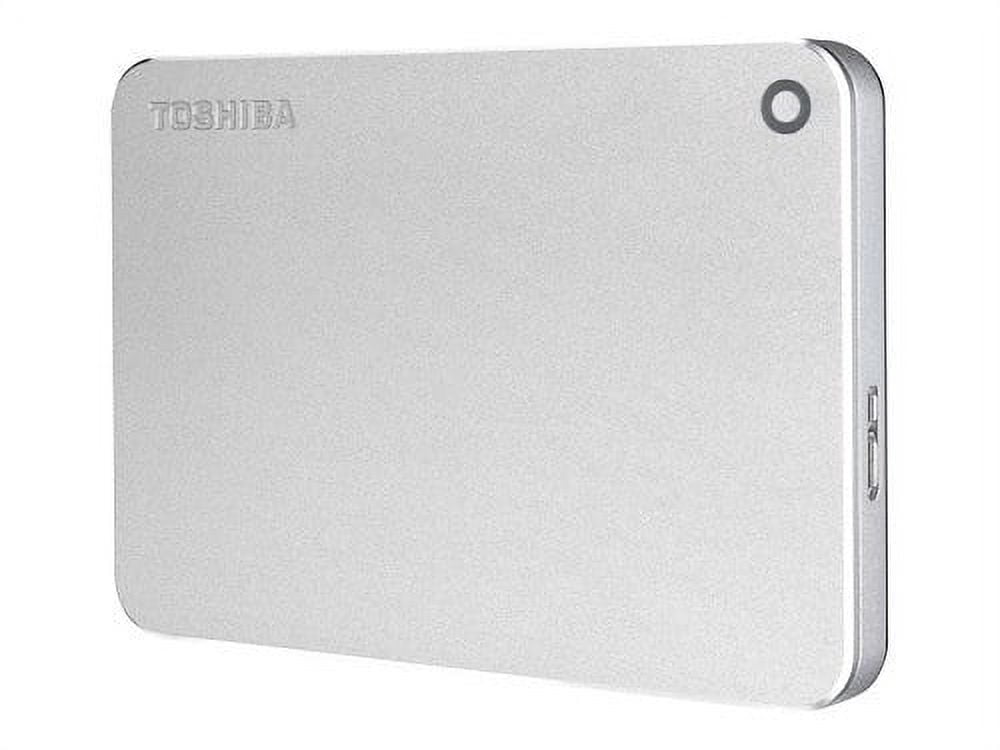
Toshiba Canvio Premium Hard Drive - TB - External (portable) - USB 3.0 - Silver
Product details
| Management number | 254473967 | Release Date | 2026/11/07 | List Price | US$30.77 | Model Number | 254473967 | ||
|---|---|---|---|---|---|---|---|---|---|
| Category | |||||||||
The Canvio Premium portable hard drive allows you to capture, create, and work anywhere. This versatile yet stylish drive offers the high storage capacity, 24/7 access to your stored content, and reliable performance that professionals demand. It is housed in a sleek and sophisticated aluminum finish worthy of the premium name.<br><br> Never limit the adventure, and never stop creating. Never stop capturing photos, shooting video, or collecting the music that inspires you. Canvio Premium offers you the space for creativity at the quality you require.<br><br> The Toshiba Canvio Premium provides up to 3TB of storage so you can store thousands of pictures, videos, music, or a variety of large files. Canvio Premium is yours - your work, your life, anywhere. <br><br> Canvio Premium is the answer for working professionals. Your work is kept safe and secure with password protection and automatic backup. These drives feature a minimalist design with clean edges, sleek surfaces, and a sophisticated aluminum body that is as attractive as it is functional. Canvio Premium delivers space, style, and security. <br><br> The Canvio Premium comes with a USB Type-C Adapter so you can use it with the latest computer that has the new USB Type-C interface. Simply connect the Canvio Premium to your Type-C enabled computer via the Adapter to store your content so you can access it on the go. <br><br> Rest assured knowing these durable portable hard drives are built to Toshiba's world-class quality standards, so you can feel confident to create anywhere. You can access all of your stored content easily and in style from the Canvio Premium hard drive. Device Type: Hard drive - external (portable) Capacity: 1 TB Interface: USB 3.0 Features: Password authentication, automatic backup, NTFS formatted Width: 3.1 in Depth: 4.3 in Height: 0.5 in Weight: 5.64 oz Interface Transfer Rate: 5.0 Gbps (USB 3.0) Interfaces: 1 x USB 3.0 Power Source: USB bus Software Included: Toshiba Storage Backup Software, Toshiba Storage Security Software OS Required: Microsoft Windows 7 / 8.1 / 10, Apple MacOS X 10.10 - 10.12 Cables Included: <ul><li>USB 3.0 cable - external</li><li>1 x USB adapter - USB-C to Type A - external</li></ul> Compliant Standards: RoHS Enclosure Color: Silver Service & Support: Limited warranty - 3 years Type: Hard drive - external (portable) Capacity: 1 TB Interface: USB 3.0 Data Transfer Rate: 5.0 Gbps (USB 3.0) Features: Password authentication, automatic backup, NTFS formatted Power Source: USB bus Enclosure Color: Silver Dimensions (WxDxH): 3.1 in x 4.3 in x 0.5 in Weight: 5.64 oz Manufacturer Warranty: 3 years warranty
Stylish design with premium aluminum finish ; Includes USB Type-C™ adapter to work with next-generation computers ; Up to 3TB1 of storage capacity to store your growing files and content ; Free Downloadable Software (Windows® only) o Toshiba Storage Backup Software – easily back up your photos, music, videos, and files with a simple graphical user interface. Schedule your backup to run automatically. o Toshiba Storage Security Software – helps prevent unauthorized access to your data with a password lock feature. ; USB 3.0 and USB 2.0 compatible with no external AC power cord needed ; Pre-formatted NTFS for Windows® PC (reformatting required for Mac® computers) ; Includes Toshiba 3-year standard limited warranty3| HD capacity | 1 TB |
|---|---|
| HD type | External hard drive |
| Brand | Toshiba |
| Internal/external | External |
| Interface type | USB 3.0 |
| Write speed | 5.0 Gbps |
| Model name | Canvio Premium |
| Accessories | <ul><li>Toshiba Canvio Premium - hard drive</li><li>USB 3.0 cable</li><li>USB adapter</li><li>Software</li></ul> |
| Dimensions | 4.30 x 3.10 x 0.50 Inches |
| Weight | 5.64 oz |
| Has written warranty | No |
| Multipack quantity | 1 |
Correction of product information
If you notice any omissions or errors in the product information on this page, please use the correction request form below.
Correction Request Form